

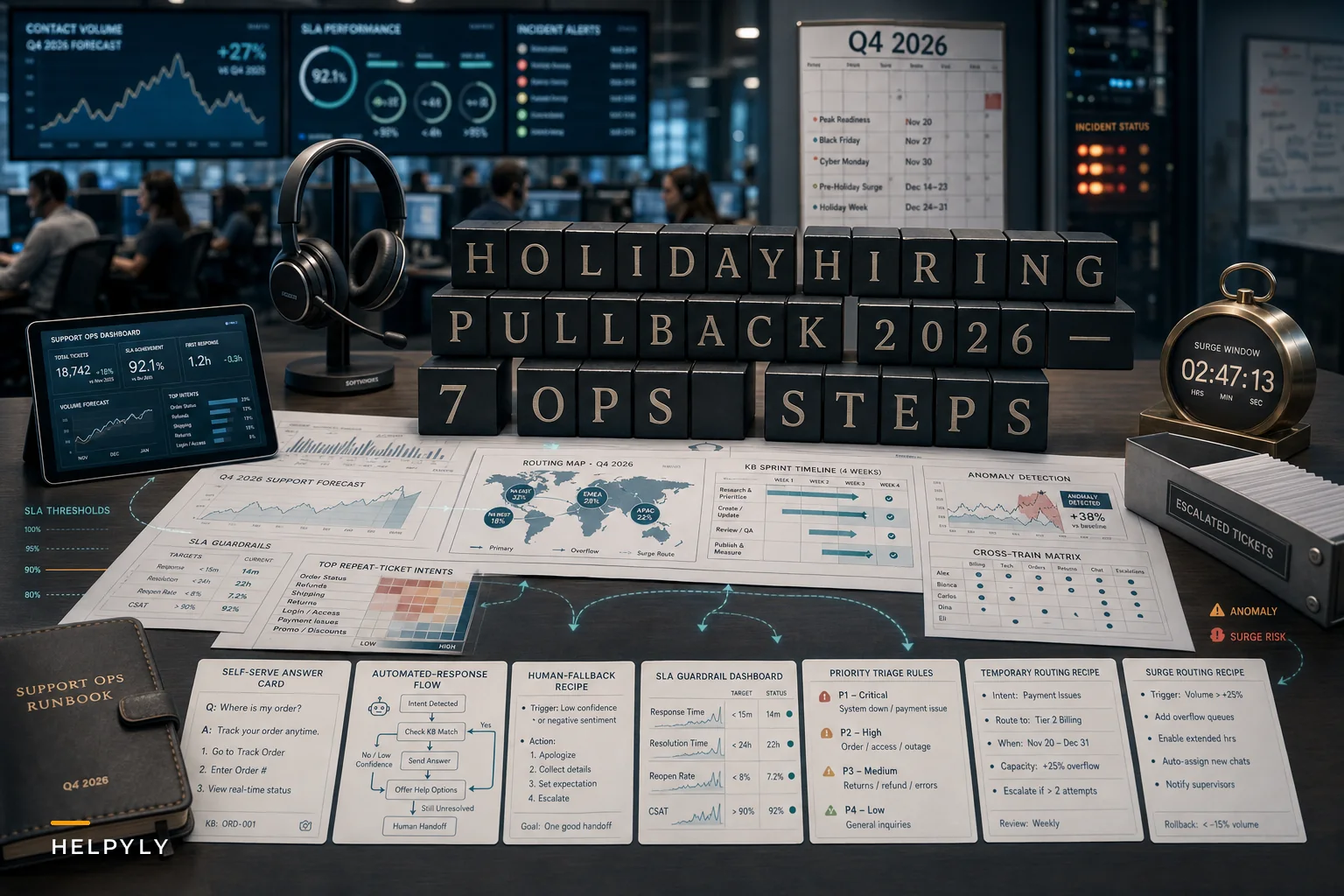

The signal is loud enough now that you can't quietly plan around it. Challenger, Gray & Christmas reported in late September that Q4 seasonal hiring commitments remain thin heading into the holiday peak, with major employers delaying, trimming, or skipping the big early hiring pushes entirely. The retail side gets most of the headlines — fewer warehouse pickers, fewer floor staff. But the version that lands on support teams is quieter and, frankly, more dangerous. Customer support can't just leave a shelf unstocked. The tickets still come in.
If your Q4 plan assumed you'd layer in a wave of seasonal CS temps to absorb the gift-order surge, the return-season flood, and the "where is my package" wall of contacts, that plan needs surgery right now. Not in November. Now.
What follows isn't a staffing forecast lecture. It's the set of operational moves that actually change your outcome when you already know the extra hands aren't arriving.
What the hiring pullback actually does to a support queue
Reduced seasonal hiring doesn't just mean "fewer people." It changes the shape of your capacity.
A typical seasonal support model front-loads cheap, lightly-trained temp capacity onto the simplest ticket types — order status, basic returns, address changes. That frees your tenured agents to handle the messy, high-emotion, high-value stuff. When the temp layer shrinks or disappears, your experienced agents get pulled down into the simple-ticket mud. Your most expensive people end up doing your cheapest work, and the complex tickets they should be handling start aging past SLA.
So the real operational risk isn't just volume. It's misallocation under load. You don't fail at peak because you're drowning in easy tickets. You fail because the hard tickets quietly rot in a queue while everyone's heads-down on password resets.
Here's roughly what the load math looks like when you lose the temp cushion:
| Scenario | Peak daily tickets | Seasonal temps | Tickets/tenured agent/day | SLA risk |
|---|---|---|---|---|
| Normal peak (fully staffed) | ~2,400 | 14 | ~45 | Manageable |
| 2026 pullback (half temps) | ~2,400 | 6 | ~68 | High on complex tiers |
| 2026 pullback (no temps) | ~2,400 | 0 | ~90+ | Breach almost certain |
Those numbers are illustrative, not yours — but the pattern holds across most mid-sized SaaS and ecommerce support orgs. The jump from 45 to 68 doesn't feel linear to agents. It feels like falling behind by 10am and never catching up.
Step 1: Re-baseline your forecast against *year-round staff only*
The first mistake teams make right now is adjusting their temp number downward instead of rebuilding the forecast from a different foundation entirely.
Never let a customer request slip through the cracks.
Helpyly helps you track, resolve, and optimize every support interaction effortlessly.
- Centralized ticket management
- Automated customer notifications
- Performance analytics dashboard
No credit card required
Don't ask "how many temps can we still get?" Ask "what does peak look like if the answer is zero?" Build the worst-case staffing scenario first, then treat any temps you actually land as upside. This flips your planning from hopeful to defensible.
If you don't already have a forecasting method you trust, this is the moment to use one properly. The formulas and shift-coverage math in our predictable seasonal staffing playbook are built for exactly this — translating projected volume into required coverage per interval rather than per week. The weekly-average approach hides the 11am–2pm cliffs that actually break your SLAs.
A practical re-baseline looks like:
-
Pull last year's peak-week volume by hour and ticket type, not by day.
-
Apply this year's growth rate to volume, but hold headcount at year-round levels.
-
Identify the specific intervals where projected demand exceeds available handle capacity.
-
Mark those intervals as your "intervention windows" — these are the only places the rest of this list needs to fix.
You'll usually find the pain isn't spread evenly. It clusters in two or three windows. That's actually good news, because it means you don't need to fix the whole quarter — just the pinch points.
Step 2: Triage by *outcome risk*, not arrival order
When you can't add bodies, you have to add discernment. First-come-first-served queues are a luxury of being overstaffed.
Re-sort your triage logic so tickets are prioritized by what happens if they don't get answered fast. A billing dispute from an annual-plan customer during renewal season carries real churn risk. A "how do I change my shipping address" ticket, annoying as it is, costs you almost nothing if it waits an extra 40 minutes.
In practice, this usually breaks into three buckets:
-
Revenue-protective — renewals at risk, cancellation intent, enterprise accounts, payment failures. These jump the line.
-
Brand-sensitive — public-channel complaints, repeat contacts, anything with emotional heat. Fast, human, careful.
-
Deferrable-but-deflectable — status checks, basic how-tos, routine returns. These should mostly not reach a human at all.
The mistake is treating triage as a one-time setup. During peak, your bucket thresholds drift. A ticket type that was deferrable in October becomes brand-sensitive in late December when everyone's gift deadline is two days away. Review the thresholds weekly through peak, not once.
Step 3: Convert your heaviest repeat tickets into deflection *before* volume hits
Every support org has a short list of ticket types that make up a disproportionate share of contact volume. During a short-staffed peak, these are where you either win time back or bleed it.
The move is to take your top five or six repeat ticket drivers and make sure a customer can resolve each one without reaching an agent — through a sharp KB article, an in-product answer, a status page, or an automated response path. The key word is sharp. A buried, badly-titled help article deflects nothing.
A workflow that actually works:
-
Pull the top ticket intents from the last two peak seasons.
-
For each, check whether a self-serve answer exists and whether customers can find it — search the way they'd search, misspellings and all.
-
Rewrite or create the answer so it resolves the specific question, not the general topic.
-
Wire the automated response or help widget to surface that answer at the moment of contact.
Visualized workflow:
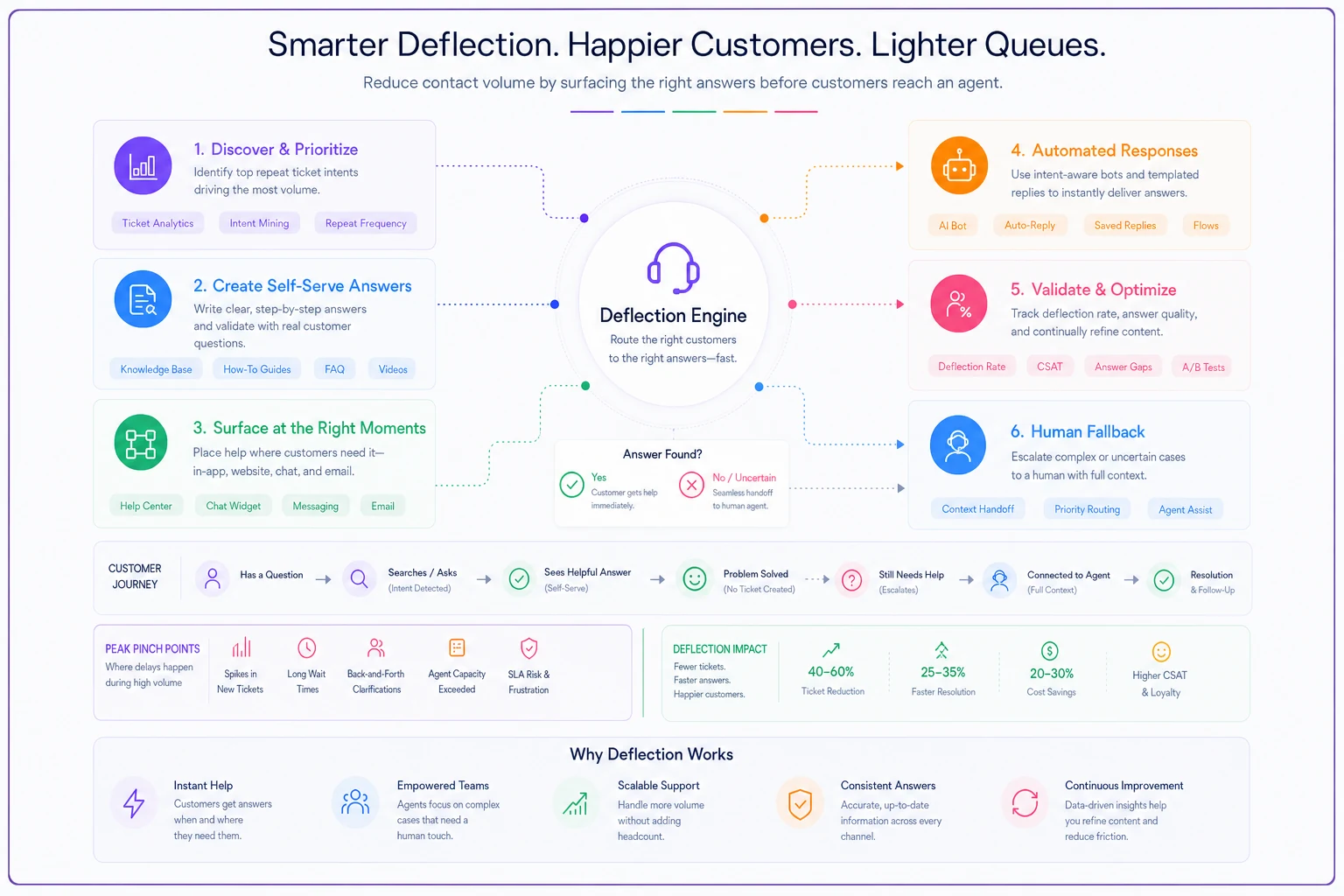
This is where AI-assisted support platforms earn their keep — not by replacing judgment, but by reliably handling the deferrable-but-deflectable bucket so humans never touch it. An automation layer that correctly handles order-status and routine-return questions can quietly absorb 20–30% of peak contacts, which is often close to the gap the missing temps left behind. The honest caveat: deflection only works if the automated answers are right. A confidently wrong auto-response during peak generates a second, angrier ticket. Keep a human fallback on anything the system isn't highly confident about.
Step 4: Cross-train now, so capacity is fungible under pressure
The quiet advantage of a lean team is that you can move it around — but only if people are actually trained to move. A support org where only two agents know the billing system is one outage or one sick day away from a rough week in Q4.
Before peak, identify your single-points-of-knowledge and spread that knowledge. You don't need everyone expert at everything. You need enough overlap that when the billing queue spikes, three or four people can swing into it instead of one.
A quick cross-training checklist for the next few weeks:
-
[ ] List every ticket category and who can currently handle it competently
-
[ ] Flag any category with fewer than three qualified agents
-
[ ] Run short, hands-on shadowing sessions for the gaps — not slide decks, actual live tickets
-
[ ] Verify competence with a few real tickets reviewed by a senior agent, not a quiz
-
[ ] Update routing so cross-trained agents can actually receive those tickets during surges
The common failure is training people on paper but never updating the routing rules, so the newly-trained agents never see the tickets anyway. Capacity you can't route to isn't really capacity.
Step 5: Set surge rules *before* you're in the surge
When a spike hits at 1pm on a Tuesday in December, nobody has time to call a meeting about what to do. The decisions have to already be made.
Write down, in advance, the specific triggers and responses. Something like: "When the general queue exceeds X waiting and the oldest ticket crosses Y minutes, we pause outbound proactive outreach, move two agents off chat to email backlog, and switch these three ticket types to the holding auto-response." Make it mechanical. Make it boring. Boring is what you want at 1pm in a crunch.
The pattern worth borrowing: pre-commit your sacrifices. In a short-staffed peak, you will not do everything well. Decide ahead of time what you'll temporarily let slide — maybe response time on low-risk tickets stretches, maybe you pause a channel briefly — so you're protecting revenue- and brand-critical work on purpose instead of by accident.
Step 6: Watch for the breakage signals that precede an SLA collapse
SLA breaches rarely happen suddenly. They build over a few hours while everyone's too busy to notice the dashboard. Teams that stay out of trouble watch leading indicators, not the lagging SLA number itself.
The most useful early signals:
-
Oldest-ticket age creeping up across any queue — this moves before your SLA metric does.
-
First-response time drifting even while resolution time looks fine — means you're falling behind on triage.
-
Reopen rate climbing — a tired, rushed team closes tickets that aren't actually solved, and they bounce back as new volume.
-
Repeat-contact rate rising — same customer, multiple touches, usually a sign deflection or first answers are failing.
Reopens and repeat-contacts are especially damaging during a short-staffed peak because they're self-inflicted volume. A team under pressure cuts corners, the work comes back, and now you're doing it twice with fewer people. Watching reopen rate is often more protective than watching raw contact volume.
Step 7: Protect the people you *do* have
This is the step that gets skipped, and it quietly determines whether you make it through December intact. When you can't add staff, your existing team absorbs the difference. Run them flat for six weeks and you'll pay for it in January with resignations, sick days, and a quality dip right when returns season peaks.
Practical protections that matter more than pizza parties:
-
Build real recovery into the schedule — no agent on back-to-back peak-interval shifts all week.
-
Give agents explicit permission to use holding responses and deflection paths. If they feel judged for not personally handling everything, they'll burn out faster.
-
Keep QA light-touch during peak. Calibrate on a few high-risk tickets, not everything. Heavy QA during a surge adds pressure without adding much value.
-
Watch for the quiet signs — slower responses from normally-fast agents, shorter notes, more terse replies. Those are fatigue tells.
A lean team that's rested and clear on priorities outperforms a larger team that's frazzled and guessing. You can see it in your reopen and CSAT numbers.
A real scenario: the SaaS team that lost its temp plan
A mid-sized B2B SaaS company — subscription billing, roughly 1,800 tickets a week in normal months, spiking toward 3,000+ during their Q4 renewal-and-onboarding crunch — planned to bring on five seasonal contractors. By October it was clear only two were going to materialize, and later than expected.
Instead of just absorbing the gap, they rebuilt the plan. They re-baselined their forecast against year-round staff only, which surfaced that the real pain was a narrow window: weekday mornings when renewal questions and onboarding tickets collided. They moved their top four repeat intents to automated resolution and a rewritten help flow, pulling roughly a quarter of the simple tickets out of the human queue. They cross-trained four generalist agents on basic billing so the renewal spike had more than two people who could handle it. And they wrote surge rules that paused proactive onboarding emails during the morning pinch.
The outcome wasn't dramatic in the way marketing likes. SLA compliance on their revenue-protective tickets held through peak instead of cratering. Reopen rate actually dipped slightly because agents weren't rushing closes. They ran the quarter with two temps instead of five and came out of December without the usual January resignation wave. Not a miracle — just the result of planning for the staffing they actually had.
When this approach is right, and when it isn't
These moves assume you genuinely can't add enough people and that a meaningful share of your volume is deflectable or routine. That describes most SaaS and ecommerce support orgs.
It's a worse fit if your tickets are overwhelmingly complex, high-touch, and non-repetitive. Some technical and enterprise support teams genuinely can't deflect their way out, and for them the answer is harder prioritization and honest SLA renegotiation, not automation. And if your KB and help content are a mess, don't lean on deflection as your main lever during peak itself — a bad auto-answer under load creates more work than it saves. Fix content first, deflect second.
The underlying problem this exposes
The hiring pullback is a trigger, but it's revealing something that was always true: a support model that only survives peak by renting cheap temporary capacity is fragile by design. The temps were always papering over structural issues — weak self-serve, brittle routing, knowledge locked in a few heads, no pre-committed surge logic.
Teams that treat 2026 as a one-off staffing scramble will scramble again next year. Teams that use it to build real deflection, genuine cross-training, and mechanical surge rules come out the other side with a support org that doesn't need the hiring wave to survive December.
Start with the re-baseline. Find your two or three pinch windows. Fix those — not the whole quarter — and you'll be in far better shape than a team still refreshing job boards hoping the temps show up.
Ready to elevate your customer support?
Join 2,000+ support teams using Helpyly to reduce response times, automate workflows, and deliver outstanding customer experiences.