
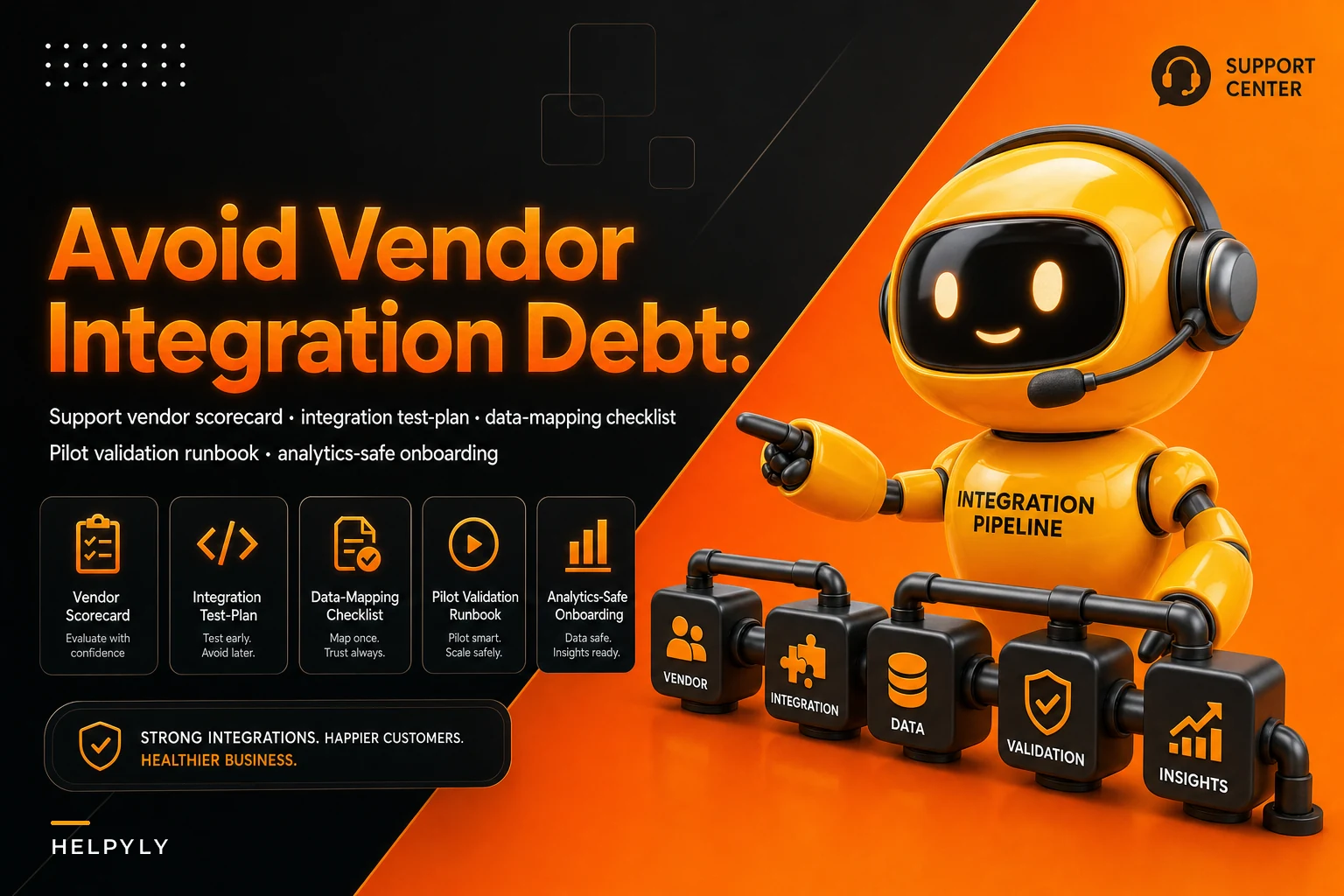

Most support teams pick a vendor on the demo. The demo is polished, the sales engineer answers every question with "yes, we support that," and six months later you're paying an engineer to maintain a webhook that silently drops 3% of ticket updates. That gap between "yes we support that" and "here's exactly how the data flows, and here's what happens when it fails" is where vendor integration debt lives.
This isn't a post about running a bake-off between three help desks. It's about the specific, boring, expensive work of validating whether a vendor will actually fit into your operational stack before you sign a contract you can't easily leave. The whole goal is a repeatable support vendor selection checklist built around one thing: does the integration hold up under real load, real edge cases, and real data — not the sandbox demo.
What integration debt actually looks like six months in
Integration debt doesn't announce itself. It shows up as small, recurring annoyances that individually feel too minor to escalate, and collectively eat a chunk of your team's week.
A typical example: a support team picks a new QA-and-analytics vendor that promises "full sync with your help desk." The demo works. Three weeks after go-live, someone notices reopened tickets aren't syncing their new status back. The vendor's system thinks 200 tickets are still "resolved" when they're actually open again. QA scores start getting calculated on stale data, and nobody catches it for a month because the dashboard looks fine — it just quietly stopped reflecting reality.
The pattern behind almost every case like this: the vendor supported the fields but not the events. They could read a ticket. They couldn't reliably react to a ticket changing state after the fact. That distinction never comes up in a demo because demos show creation, not the messy lifecycle afterward.
Other common shapes integration debt takes:
-
Silent data loss. A sync job fails, retries a few times, then gives up without alerting anyone. You find out when a customer references a conversation your new tool never recorded.
-
Field mapping drift. Your "priority" field has five values. Theirs has three. Someone wrote a mapping once, nobody documented it, and now "urgent" and "high" both collapse into "high" on their side.
-
Timezone and timestamp mismatches. Your SLA clock and their reporting clock disagree by a few hours. Your compliance numbers stop matching theirs, and now nobody trusts either.
-
No backfill path. The tool only works on tickets created after go-live. Your historical data is stranded, so trend analysis is broken for a full quarter.
None of these are exotic. They're the default outcome of picking a vendor on features instead of on data flow.
Why "yes, we integrate" is almost meaningless
Vendors integrate at wildly different depths, and the word covers all of them. Here's the range you typically see in practice.
Never let a customer request slip through the cracks.
Helpyly helps you track, resolve, and optimize every support interaction effortlessly.
- Centralized ticket management
- Automated customer notifications
- Performance analytics dashboard
No credit card required
Here's the range you typically see in practice.
| Integration depth | What it actually does | Where it breaks |
|---|---|---|
| CSV export/import | Manual or scheduled file dumps | No real-time updates; stale within hours; manual effort every cycle |
| One-way read via API | Pulls tickets on a schedule | Misses mid-lifecycle changes; polling gaps lose events |
| Webhook-driven events | Reacts to ticket create/update/close | Fails silently if no retry logic; ordering issues under load |
| Bi-directional sync | Reads and writes back reliably | Loop risks, conflict resolution, needs careful field ownership rules |
| Native / first-party | Built and maintained by the platform itself | Rare; usually only for the biggest vendors |
When a salesperson says "we integrate with your help desk," they might mean any row in that table. A CSV importer and a bi-directional sync are both technically "an integration." The difference between them is whether your team spends zero hours a week or four hours a week keeping the data honest.
The thing most teams miss: the integration depth you need depends on the workflow, not the vendor. A tool that just needs to read closed tickets for reporting can live happily on one-way read. A tool that routes or updates tickets needs bi-directional sync with clear field ownership — otherwise you get two systems fighting over the same record.
The evaluation scorecard
Score every vendor on the same axes, weighted for your situation. Don't let a great UI cover for a weak integration story — weight integration reliability heavily, because that's the part you can't fix later without ripping the tool out.
-
Integration depth match — does it match the depth the workflow actually needs? (weight: high)
-
Event coverage — does it react to create, update, reassign, reopen, close, and merge? (weight: high)
-
Failure behavior — does it retry, queue, and alert on failures, or fail silently? (weight: high)
-
Data mapping flexibility — can you map custom fields and value sets without a support ticket to their team? (weight: medium)
-
Backfill capability — can it import your historical data? (weight: medium)
-
Rate limits and throughput — will it survive your peak ticket volume? (weight: medium)
-
Observability — can you see sync status, lag, and error counts yourself? (weight: medium)
-
Exit cost — how hard is it to get your data back out and turn the thing off? (weight: high)
That last one gets ignored constantly. Ask directly during evaluation: "If we cancel in month four, how do we export everything and what breaks?" A vendor confident in their product answers this cleanly. One that deflects is telling you the exit is painful — which is itself a data point.
Rough guideline: anything below the mid-30s out of 40 on the high-weight axes alone should not go to pilot, no matter how good the demo felt.
The data-mapping checklist
Most integration debt is mapping debt in disguise. Before any pilot, walk through this field by field. It's tedious and it's probably the highest-leverage hour you'll spend in the whole evaluation.
-
[ ] What's the source field name and type on your side?
-
[ ] What's the destination field name and type on theirs?
-
[ ] Do the value sets match? (statuses, priorities, tags, channel names)
-
[ ] What happens to values that don't map cleanly — dropped, defaulted, or errored?
-
[ ] Who owns the field after sync — your system, theirs, or last-write-wins?
-
[ ] Are timestamps stored in UTC on both sides, and is the display timezone consistent?
-
[ ] How are custom fields handled? Are they even included in the sync?
-
[ ] What about attachments, internal notes, and merged-ticket relationships?
-
[ ] Is there a canonical ID that survives across both systems, or do you rely on fuzzy matching?
That canonical ID question deserves real attention. If both systems don't share a stable identifier, you'll eventually get duplicate or orphaned records. This is the same discipline behind keeping a single source of truth for a conversation across channels — if you've already built canonical conversation objects with clean metadata propagation, a new vendor either respects that model or actively undermines it. Test which one before signing.
The integration test-plan
The demo tests the happy path. Your test plan should try to break it. Run these deliberately during evaluation, ideally in a sandbox connected to a copy of real data.
-
Create test. Open a ticket in your system. Confirm it appears correctly on their side within the expected window, with all mapped fields intact.
-
Mid-lifecycle change test. Reassign, re-prioritize, add a tag, and add an internal note to an existing ticket. Confirm each change propagates.
-
Reopen test. Close a ticket, then reopen it. This is the single most common silent failure — confirm the status flips back correctly.
-
Merge test. Merge two tickets. See what happens to the relationship and conversation history on their side.
-
Volume test. Push a burst of tickets — simulate a spike well above your normal peak. Watch for dropped events, rate-limit errors, and growing sync lag.
-
Failure-injection test. Disconnect the integration for an hour, then reconnect. Does it backfill the missed events, or are those tickets permanently lost from their system?
-
Value-mismatch test. Send a field value you know doesn't map cleanly. Confirm you get a visible error, not a silent default.
-
Exit test. Export everything and confirm the export is complete and usable. Do this while you still have leverage.
Write down the expected result for each before you run it. If you decide what "pass" means after seeing the output, you'll rationalize failures into acceptable behavior. That's how bad vendors get through evaluation.
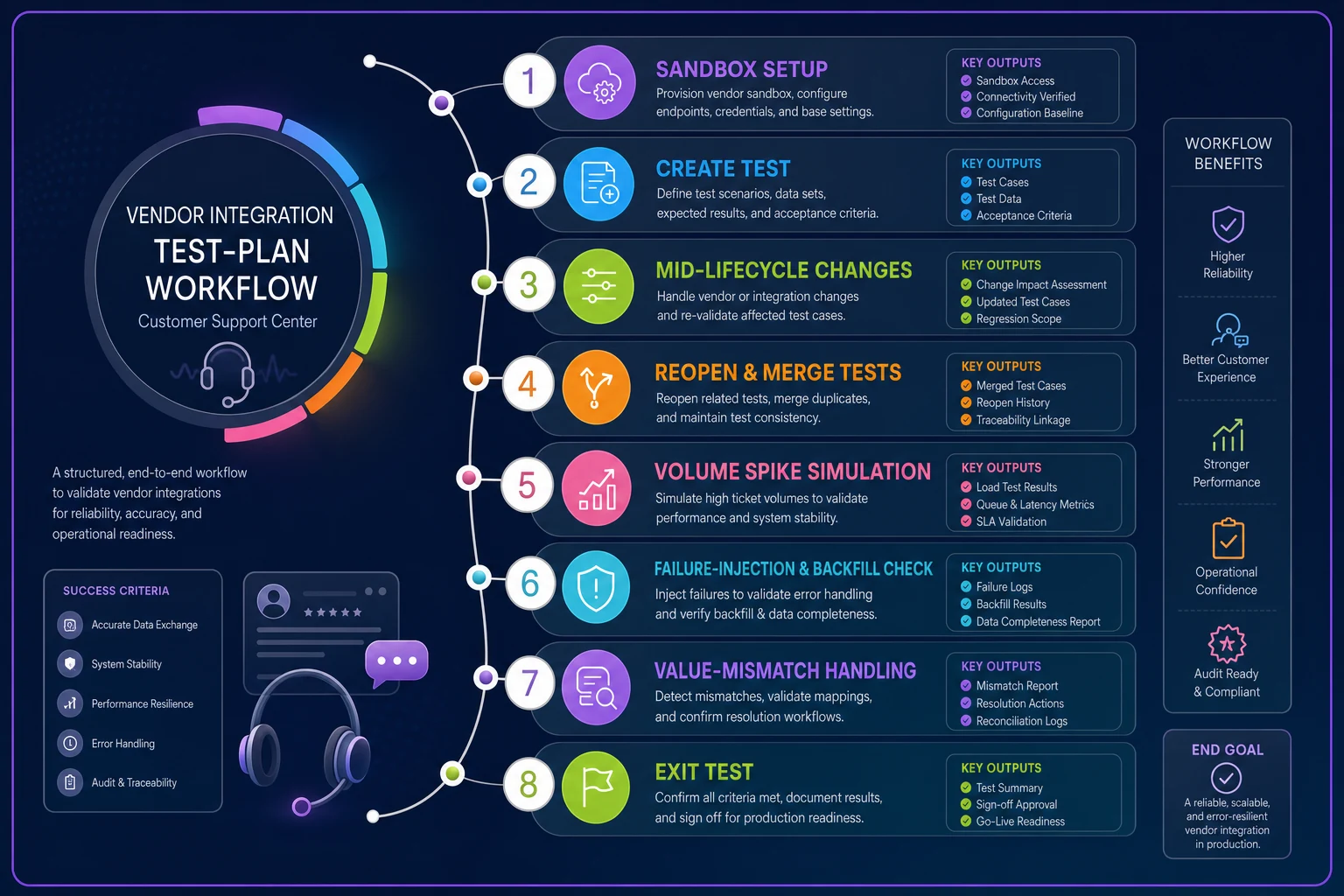
A simple visual of the test-plan helps keep the team aligned on steps and expectations.
Write down the expected result for each before you run it.
If you decide what "pass" means after seeing the output, you'll rationalize failures into acceptable behavior. That's how bad vendors get through evaluation.
The 8-week pilot validation template
A demo proves the tool can work once. A pilot proves it keeps working under your actual conditions. Eight weeks is long enough to hit a real ticket spike, a real edge case, and at least one reporting cycle where the numbers have to reconcile.
-
Weeks 1–2 — Setup and mapping validation. Connect to a real-data copy. Complete the data-mapping checklist end to end. Run the create, mid-lifecycle, and reopen tests. No production reliance yet.
-
Weeks 3–4 — Shadow mode. Run the vendor alongside your existing process without depending on it. Compare their numbers against your source of truth daily. Log every discrepancy, even small ones — small discrepancies compound.
-
Weeks 5–6 — Limited production. Route a slice of real workflow through it — one queue, one team, or one channel. Run the volume and failure-injection tests against live-ish traffic. Track sync lag and error rate as first-class metrics.
-
Weeks 7–8 — Reconciliation and exit rehearsal. Reconcile a full reporting period against your own data. Numbers should match within a tolerance you defined in week one. Then run the exit test one more time. If you can't cleanly leave, you're not choosing a vendor — you're choosing a hostage situation.
One hard rule for the pilot: define the exit criteria before you start. Write down the specific discrepancy rate, sync lag, and error threshold that means "no." Teams that skip this always find a reason to keep going, because by week six they've invested effort and don't want to admit it didn't work. Sunk cost is the real reason bad vendors get adopted.
A real scenario
A mid-sized SaaS support team — roughly 22 agents, somewhere around 9,000–11,000 tickets a month — was evaluating an analytics-and-QA platform to replace a spreadsheet-based process. The demo was strong and they were close to signing.
Instead they ran the reopen test and the failure-injection test first. The reopen test passed. The failure-injection test did not — when they disconnected the integration for an hour and reconnected, the vendor's system quietly lost every ticket update from that window with no backfill and no alert. On their volume, an outage during a spike could have stranded a few hundred updates without anyone noticing until reporting day.
They took it back to the vendor. Turned out backfill was on the roadmap but not shipped. Rather than walk away, they negotiated: pilot extended, backfill delivered and re-tested before any contract, and an SLA written specifically around sync lag and error alerting. The reconciliation in week seven came in within about 1% of their own numbers — inside the tolerance they'd set upfront. The tool that would have quietly corrupted their QA data for months became something they actually trusted, because the test plan surfaced the flaw while they still had leverage.
The cost of that whole exercise was maybe two weeks of one person's attention. Skipping it would have meant an engineer babysitting a broken sync for a year, plus every QA decision made on bad data during that stretch.
When this level of rigor makes sense — and when it doesn't
This process is deliberate and it takes time. It's not always warranted.
When it makes sense: any vendor that writes back into your help desk, any tool your SLA or compliance reporting depends on, anything that touches customer data, and anything with a contract longer than a few months or a painful exit. The deeper the integration and the higher the switching cost, the more this pays off.
When it's overkill: a lightweight read-only reporting tool on a month-to-month plan you can drop instantly. A browser extension one agent uses. Anything where being wrong costs you a cancellation email and nothing else. Don't run an 8-week pilot to evaluate a Chrome extension.
Who should not do this yet: teams that haven't defined their own data model. If you don't know your own field ownership, canonical IDs, and status lifecycle, you can't test whether a vendor respects them — you'll just be comparing two undefined systems. Sort out your internal foundation first. If you're not sure where you stand, the support operational maturity model is a reasonable way to gauge whether you're ready to evaluate vendors at this depth, or whether the internal groundwork needs to come first.
The one habit that prevents most of this
Integration debt is almost never caused by a genuinely bad product. It's caused by adopting a product without ever testing how it behaves when things go sideways — and by signing before you've confirmed you can get back out.
Treat "we integrate with that" as the beginning of the conversation, not the end. Make every vendor prove event coverage, failure behavior, and exit cost against your real data before money changes hands. The scorecard, mapping checklist, test plan, and pilot template above are just structured ways to force that proof.
Two weeks of skeptical testing now is cheaper than two years of quiet cleanup later. The vendors worth keeping will pass. The ones that would have cost you will show you exactly why — while you can still walk away.
Treat "we integrate with that" as the beginning of the conversation, not the end. Make every vendor prove event coverage, failure behavior, and exit cost against your real data before money changes hands. The scorecard, mapping checklist, test plan, and pilot template above are just structured ways to force that proof.
Two weeks of skeptical testing now is cheaper than two years of quiet cleanup later. The vendors worth keeping will pass. The ones that would have cost you will show you exactly why — while you can still walk away.
Ready to elevate your customer support?
Join 2,000+ support teams using Helpyly to reduce response times, automate workflows, and deliver outstanding customer experiences.