

Most support managers inherit a mess. Agents buried in tickets, no clear escalation paths, metrics that tell you nothing useful, and a knowledge base that contradicts itself every third article. The standard advice is to hire more people or buy better software. But throwing resources at chaos just creates expensive chaos.
Having watched support teams across all kinds of industries—from 3-person SaaS startups to 200-agent ecommerce operations—a pattern becomes obvious. Teams that successfully scale don't randomly implement tools or processes. They follow a maturity progression, whether they realize it or not. The ones who understand this build genuinely strong support operations. The ones who don't stay stuck in reactive mode indefinitely.
A support operational maturity model isn't some academic framework. It's a practical roadmap that tells you what to fix first, what can wait, how much budget you'll need at each stage, and when to think about headcount. More importantly, it stops you from implementing "best practices" your team isn't ready for yet.
Why support maturity happens in stages (and skipping always backfires)
Support operations mature in a specific sequence because each stage builds the foundation for the next. You can't predict problems you don't measure. You can't automate chaos. You can't optimize what doesn't exist yet.
Every support team starts in ad-hoc mode. Tickets come in, agents grab whatever looks urgent, knowledge lives in people's heads, and heroic individual effort keeps customers from revolting. This works fine at 50 tickets per week. At 500, the wheels start coming off. At 5,000, you're in full crisis mode.
The natural instinct is to jump straight to automation—chatbots, predictive analytics, the whole thing. But automation amplifies whatever process sits underneath it. Automate chaos, get faster chaos. Run predictive models on dirty data, get confident predictions of nonsense.
Stage 1: Ad-hoc operations (survival mode)
Recognition signals:
Never let a customer request slip through the cracks.
Helpyly helps you track, resolve, and optimize every support interaction effortlessly.
- Centralized ticket management
- Automated customer notifications
- Performance analytics dashboard
No credit card required
-
Ticket assignment happens through Slack messages or whoever happens to be available
-
Resolution time varies wildly for identical issues
-
Knowledge exists primarily in senior agents' heads
-
No consistent tagging or categorization
-
Metrics limited to basic volume counts and maybe average handle time
Budget allocation: At this stage, you're spending roughly $2,000–4,000 per agent per month in total costs (salary, tools, overhead). Most budgets look like:
-
85% headcount
-
10% basic helpdesk software
-
5% random point solutions
Headcount thresholds: Teams typically stay ad-hoc until around 5–8 agents. Below this, informal coordination still works—everyone knows what everyone else is doing. Above it, communication overhead starts eating productivity.
Priority projects for Stage 1:
Project 1: Basic ticket taxonomy (2–3 weeks, $0 budget) Create 8–12 top-level categories that cover roughly 80% of your tickets. Don't overthink it—you'll refine later. The goal is simply knowing what types of issues you're dealing with. Most teams discover they're spending around 40% of their time on issues that better documentation could prevent.
Project 2: Response template library (3–4 weeks, $0 budget) Document the 20 most common responses. Not canned responses—actual solution templates with variable fields. Include troubleshooting steps, not just "try turning it off and on again." This alone typically cuts response time by 25–30%.
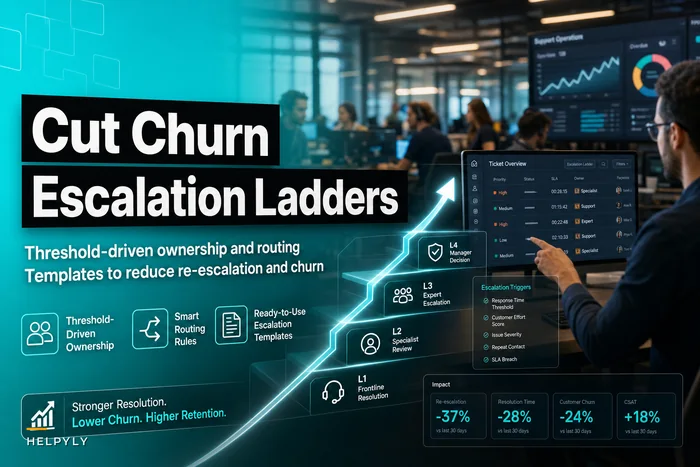
Project 3: Simple escalation paths (1–2 weeks, $0 budget) Define who handles what when an agent gets stuck. Not a complex escalation ladder, just basic ownership. "Technical issues go to Dave, billing goes to Sarah, everything else goes to the team lead." Without this, agents waste hours hunting for help.
Operational playbook for Stage 1:
-
Week 1-2
Audit your current state. Count ticket types for one week. Time how long agents spend searching for information.
-
Week 3-4
Implement basic categorization. Start with broad buckets. Train agents on consistent tagging.
-
Week 5-8
Build your template library. Focus on complete solutions, not quick replies.
-
Week 9-10
Define escalation ownership. Document it somewhere everyone can actually find.
The biggest mistake at this stage is trying to be perfect.
The biggest mistake at this stage is trying to be perfect. Your categories will be wrong. Your templates will need updates. Your escalation paths will have gaps. That's fine. You're building foundation, not the finished house.
Stage 2: Measured operations (visibility mode)
Recognition signals:
-
Consistent ticket categorization across the team
-
Basic SLA tracking in place
-
Regular reporting on key metrics
-
Knowledge base exists but needs constant updates
-
Some specialization emerging among agents
Budget allocation: Measured stage typically runs $3,500–6,000 per agent monthly:
-
75% headcount
-
15% integrated helpdesk platform
-
10% reporting and analytics tools
Headcount thresholds: Teams enter measured stage around 8–12 agents and typically stay until 20–25 agents. At this size, you need data to make decisions but don't yet need heavy automation.
Priority projects for Stage 2:
Project 1: Comprehensive metrics dashboard (4–6 weeks, $500–1,500/month) Move beyond basic metrics to operational intelligence. Track first response time by category, resolution time by complexity, escalation rates by agent. The goal isn't pretty charts—it's understanding where time actually goes. Most teams discover 60% of effort is concentrated in about 20% of issue types.
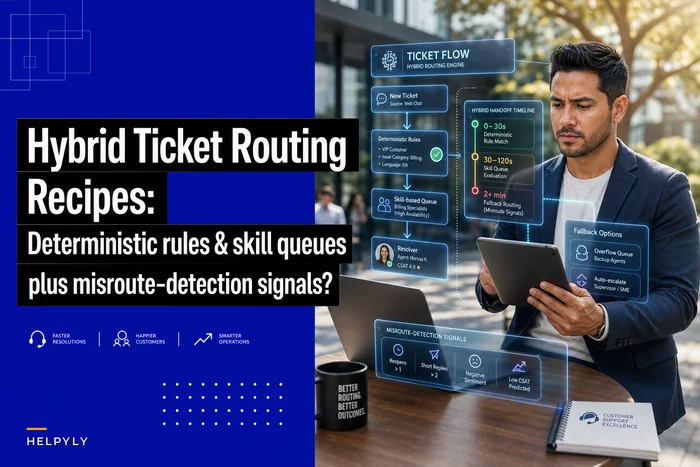
Project 2: Skills-based routing foundation (3–4 weeks, $0–500/month) Not full hybrid routing yet, just basic matching. Tag agents with 2–3 primary skills and route tickets accordingly. Even basic skill matching improves resolution time by 20–35% and cuts escalations noticeably.
Project 3: Quality assurance program (6–8 weeks, 0.5 FTE) Review 5–10% of closed tickets—not for punishment, but for pattern recognition. Where do agents struggle? What knowledge is missing? Which responses generate follow-up tickets? QA data becomes your roadmap for Stage 3.
Project 4: Operational reporting cadence (2–3 weeks, 2–4 hours weekly) Weekly team metrics, monthly trend analysis, quarterly deep dives. Create templates so reporting takes 2 hours, not 2 days. Include both performance metrics and operational health indicators.
Operational playbook for Stage 2:
-
Month 1
Implement measurement infrastructure. Don't track everything—track what actually influences decisions.
-
Month 2
Launch basic skills routing. Start with the obvious specializations and expand gradually.
-
Month 3
Begin QA sampling. Focus on learning, not scoring.
-
Month 4-6
Refine based on data. Adjust categories, update routing rules, identify automation candidates.
A common pitfall at this stage is measuring everything but actioning nothing. Data without decisions is just expensive storage. Every metric should answer a question that drives an action.
Stage 3: Automated operations (efficiency mode)
Recognition signals:
-
Automated ticket routing based on content and history
-
Self-service handles 30–40% of common issues
-
Proactive alerts for potential problems
-
Knowledge base with usage analytics and effectiveness tracking
-
Clear specialization and tier structure
Budget allocation: Automated stage runs $5,000–8,500 per agent:
-
65% headcount
-
20% automation platform and tools
-
10% knowledge management
-
5% training and development
Headcount thresholds: Automation becomes critical around 25–30 agents. Below this, manual coordination still works. Above it, you need systems handling routine decisions or agents end up spending more time on logistics than actually solving problems.
Priority projects for Stage 3:
Project 1: Intelligent ticket routing (8–12 weeks, $2,000–5,000/month) Move beyond basic skills matching to contextual routing—previous ticket history, customer value, issue complexity, agent availability, current workload. This isn't about complex AI; it's about smart business rules. Proper routing reduces handle time by 25–40% and can improve customer satisfaction scores by 15–20 points.
Project 2: Macro automation suite (6–8 weeks, $500–1,500/month) Not chatbots—smart macros that handle routine tasks within tickets. Update customer records, trigger refunds, schedule callbacks, create follow-up tasks. Agents stay in control but skip the repetitive clicking. Usually saves 45–60 minutes per agent per day.
Project 3: Deflection-focused knowledge base (12–16 weeks, $1,000–3,000/month) Stop writing encyclopedia articles. Create targeted solutions for your top 50 issues. Include screenshots, videos, decision trees. Track which articles actually prevent tickets versus which ones customers read before contacting you anyway. Good knowledge bases deflect 25–35% of tickets. Great ones hit 45–50%.
Project 4: Workload balancing system (4–6 weeks, $500–1,500/month) Real-time distribution based on capacity, not just round-robin assignment. Factor in ticket complexity, agent skill level, current queue depth, break schedules. This prevents the common scenario where one agent drowns while another is browsing Reddit.
Operational playbook for Stage 3:
-
Quarter 1
Build routing intelligence. Start with high-value or high-volume segments and expand gradually.
-
Quarter 2
Deploy automation tools. Begin with the lowest-risk, highest-impact processes.
-
Quarter 3
Revamp knowledge systems. Focus on deflection metrics, not article count.
-
Quarter 4
Optimize and refine. Use data from previous quarters to fine-tune rules and thresholds.
The biggest risk at this stage is over-automation. Just because you can automate something doesn't mean you should. Every automation needs escape hatches, monitoring, and regular audits. Bad automation creates worse problems than no automation.
Stage 4: Predictive operations (proactive mode)
Recognition signals:
-
Models predict ticket volume and types with 85%+ accuracy
-
Automatic resource scheduling based on predictions
-
Proactive outreach before issues escalate
-
Self-healing processes that adapt to changes
-
Agents focused on complex, high-value interactions
Budget allocation: Predictive stage requires $8,000–12,000 per agent:
-
55% headcount (more senior roles)
-
25% AI and ML platforms
-
15% integration and data infrastructure
-
5% continuous training
Headcount thresholds: Predictive capabilities make sense above 50 agents or when you're handling 10,000+ tickets monthly. Below this, the investment in data infrastructure doesn't generate sufficient ROI.
Priority projects for Stage 4:
Project 1: Volume prediction models (12–16 weeks, $5,000–10,000/month) Predict ticket volume by type, channel, and time period. Factor in product releases, marketing campaigns, seasonal patterns, even weather for certain businesses. Accurate predictions enable dynamic staffing—saving 15–20% on labor costs while maintaining or improving service levels.
Project 2: Sentiment-triggered interventions (8–12 weeks, $3,000–7,000/month) Identify customers heading toward crisis before they explicitly complain. Unusual contact patterns, degrading sentiment scores, specific keyword combinations. Proactive intervention prevents roughly 30% of escalations and meaningfully reduces churn in subscription businesses.
Project 3: Adaptive workflow optimization (16–20 weeks, $5,000–12,000/month) Systems that learn from outcomes and adjust processes automatically. If resolution time climbs for certain issue types, workflows adapt. If specific agents excel at particular problems, routing evolves. Not replacing human judgment—augmenting it with continuous optimization.
Project 4: Predictive knowledge gaps (6–8 weeks, $2,000–5,000/month) Identify knowledge base gaps before they become ticket floods. Track search queries that don't return answers, tickets referencing missing documentation, resolution patterns suggesting undocumented solutions. Typically prevents 20–25% of future tickets.
Operational playbook for Stage 4:
-
Month 1-3
Establish data foundation. Clean historical data, implement tracking, define success metrics.
-
Month 4-8
Build initial models. Start with volume prediction—it's the most straightforward with the clearest ROI.
-
Month 9-12
Deploy interventions. Begin with low-risk predictions and expand as confidence grows.
-
Month 13-16
Create feedback loops. Use outcome data to refine predictions and interventions.
One thing worth saying clearly: predictive operations require cultural change, not just technology. Agents need to trust models enough to act on predictions but stay skeptical enough to override when something feels off. That balance takes months to develop.
Budget reality check: what this actually costs
Real numbers for a 20-agent support team going through this progression:
| Stage | Monthly Cost Range | Headcount Cost | Tools & Infrastructure |
|---|---|---|---|
| Stage 1 – Ad-hoc | $45,000–65,000 | $40,000–60,000 (20 agents @ $2k–3k) | $5,000–8,000 |
| Stage 2 – Measured | $75,000–105,000 | $60,000–80,000 (20 agents @ $3k–4k) | $15,000–25,000 |
| Stage 3 – Automated | $85,000–135,000 | $72,000–99,000 (18 agents @ $4k–5.5k) | $13,000–36,000 |
| Stage 4 – Predictive | $95,000–165,000 | $75,000–105,000 (15 senior agents @ $5k–7k) | $20,000–60,000 |
The progression looks expensive until you calculate cost per ticket. Ad-hoc teams typically run $15–25 per ticket. Predictive teams handle tickets at $5–8 each while delivering a better customer experience overall.
Implementation velocity: realistic timelines for each transition
Ad-hoc to Measured: 4–6 months
-
Month 1-2
Foundation building (taxonomy, templates)
-
Month 3-4
Measurement implementation
-
Month 5-6
Process standardization
Most teams can reach measured stage within two quarters if they stay focused. The bottleneck isn't technology—it's getting agents to consistently follow new processes.
Measured to Automated: 8–12 months
-
Quarter 1
Evaluate and select automation platforms
-
Quarter 2
Implement core automation
-
Quarter 3
Refine and expand
-
Quarter 4
Optimization and training
This transition takes longer because you're changing how work gets done, not just measuring it. Budget approval alone often takes 2–3 months at this level.
Automated to Predictive: 12–18 months
-
Months 1-6
Data infrastructure and cleaning
-
Months 7-12
Model development and testing
-
Months 13-18
Deployment and refinement
Few teams complete this in under a year. The technology is genuinely complex, but the harder challenge is usually organizational readiness.
Common failure patterns (and how to avoid them)
Failure Pattern 1: The Tool-First Approach Buying Zendesk Enterprise or Salesforce Service Cloud before establishing basic processes. These platforms amplify whatever processes exist underneath. If your processes are broken, expensive tools make them expensively broken.
Failure Pattern 2: The Perfectionist Trap Spending six months designing the perfect taxonomy while tickets pile up. Your first categorization will be wrong. Your second will be better. Your third might be good enough. Ship something workable, then iterate.
Failure Pattern 3: The Automation Silver Bullet Implementing chatbots or AI without clean data and clear processes. Bad automation is worse than no automation—it frustrates customers, creates shadow work for agents, and destroys trust in future automation attempts.
Failure Pattern 4: The Metrics Overload Tracking 147 different KPIs but taking action on none. Start with five metrics that drive decisions. Add more only when you're consistently acting on what you already measure.
Failure Pattern 5: The Big Bang Transformation Trying to jump multiple stages at once. "We're going from spreadsheets to AI-powered predictive support!" These moonshots almost always crater. Even with unlimited budget, organizational capacity for change has real limits.
Practical next steps based on your current stage
If you're in Ad-hoc: Start with basic categorization this week. Don't overthink it—just get something in place. Next week, begin documenting your most common responses. Within a month, you should have enough structure to make everything else possible.
If you're in Measured: Look at your data and find the biggest pain point. Routing efficiency? Knowledge gaps? Inconsistent quality? Pick one problem and design a solution around it. Don't automate everything—automate the thing that hurts most.
If you're in Automated: Dig into your historical data for patterns. What predictions would have helped last quarter? Start with simple models—even basic trending beats gut instinct. Build confidence with small wins before tackling anything complex.
If you're in Predictive: You're already sophisticated, but are you sharing insights across the organization? Support-side predictive data can inform product development, marketing timing, sales conversations. The next move is becoming a strategic intelligence hub, not just a cost center.
The coordination challenge nobody mentions
As you progress through maturity stages, coordination complexity grows fast. In ad-hoc mode, it's shoulder taps and Slack messages. By predictive stage, you're coordinating across systems, models, teams, and time zones.
This is where AI-powered operational software earns its place—not as a magic solution but as infrastructure for coordination. Modern platforms can maintain context across channels, track decisions through workflows, and ensure information flows where it needs to go. They convert coordination from a human bottleneck into a system capability.
The best teams use operational platforms to build what you might call "coordination highways"—standardized paths for information and decisions. Instead of agents hunting for expertise, the system routes questions to the right specialist. Instead of manually updating five different systems, integrations handle propagation. When surge events hit, predefined workflows activate automatically.
Your roadmap starts with honest assessment
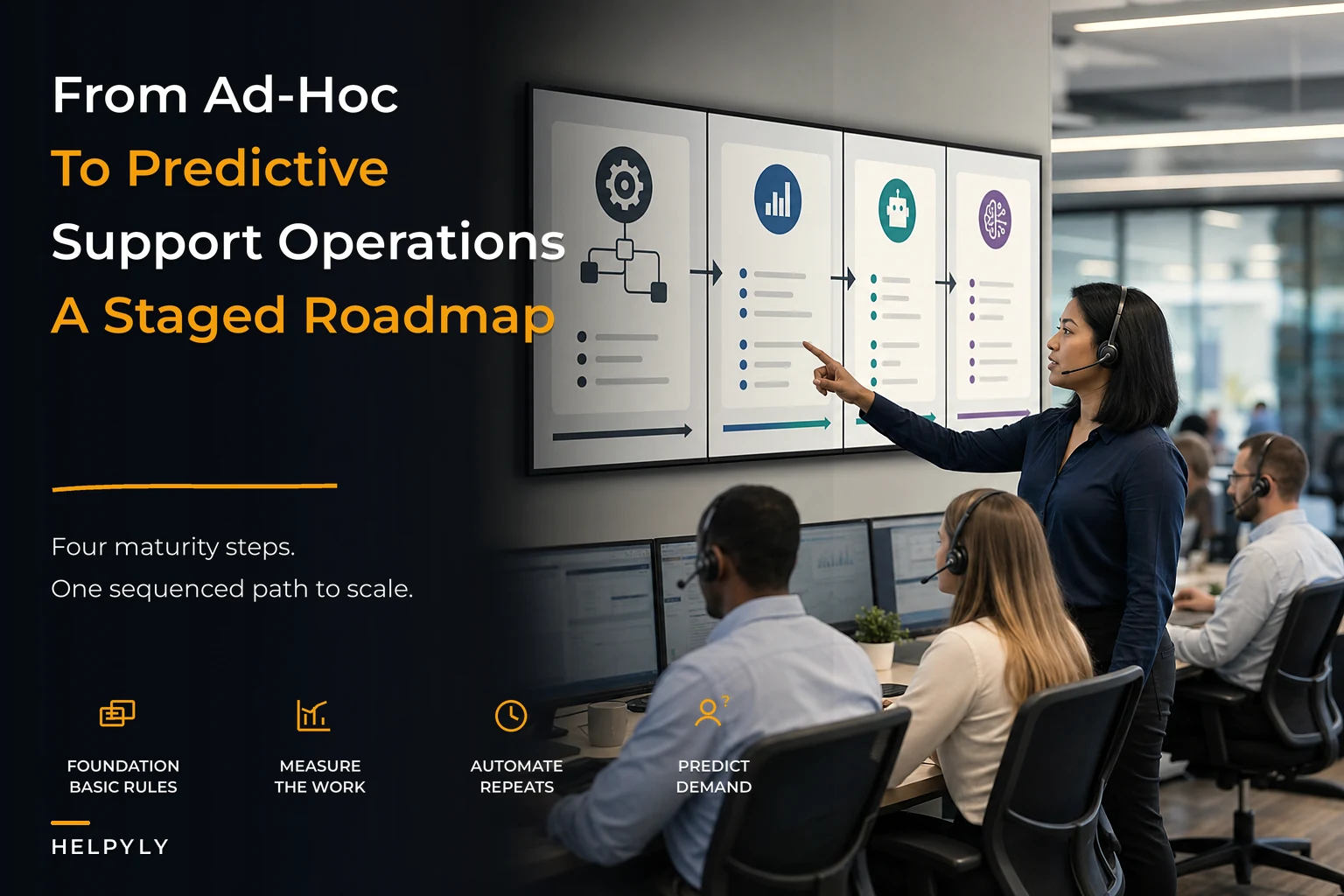
Roadmap diagram:
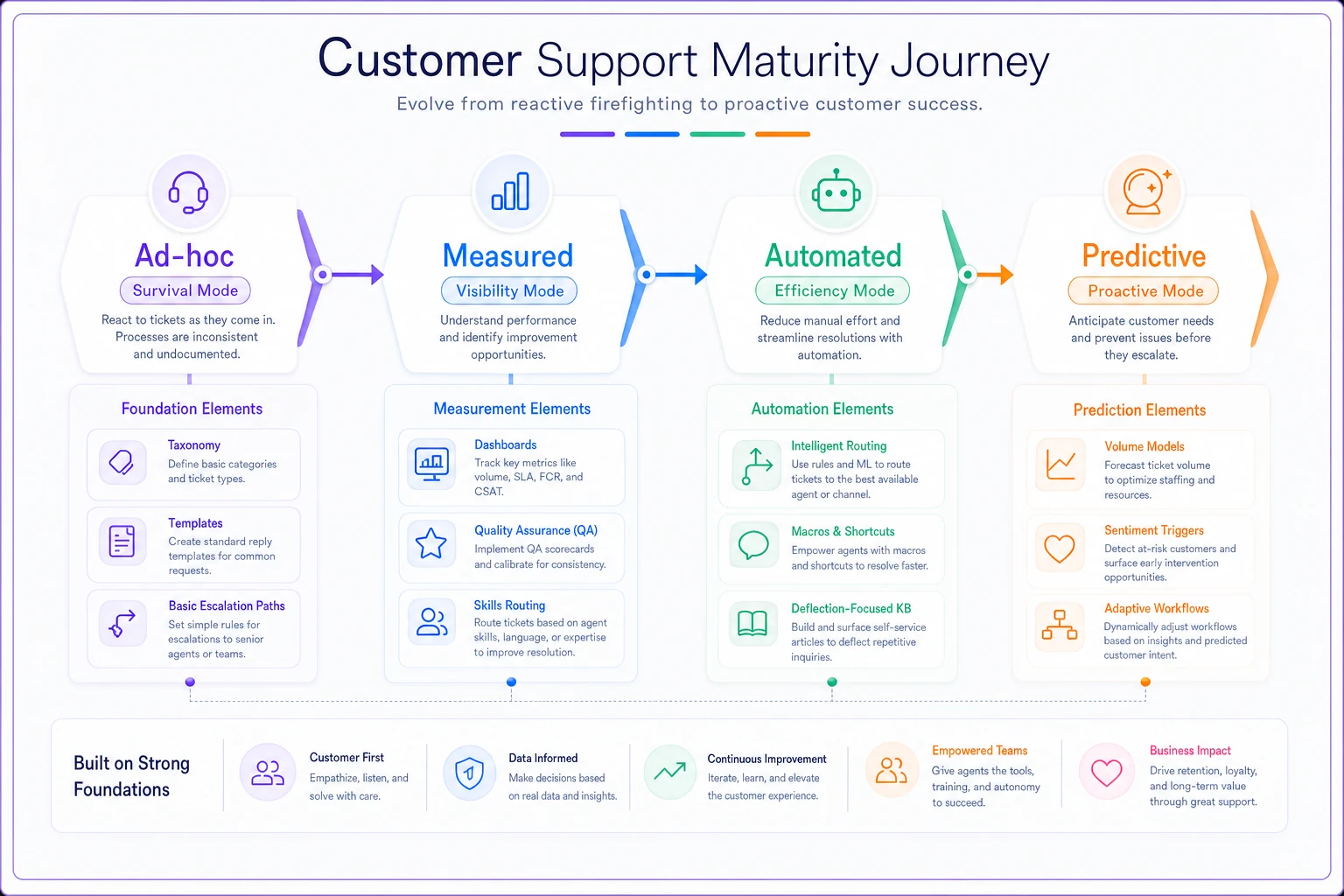
Building a support operational maturity model isn't about following someone else's playbook perfectly. It's about understanding where you are, where you need to be, and what steps get you there without wasting months going sideways.
Most support teams sit somewhere between late Stage 1 and early Stage 2. Some processes, basic metrics, growing pains. The path forward isn't mysterious—it's methodical. Fix foundations before adding complexity. Measure before automating. Automate before predicting.
The teams that succeed aren't necessarily the ones with the biggest budgets or the best technology. They're the ones that understand maturity happens in stages, each building on the last, and they resist the urge to skip steps. They implement boring solutions to boring problems before chasing exciting innovations.
Your support operation will mature regardless. The only real question is whether you guide that maturation deliberately or let it happen chaotically. A clear maturity model—with defined stages, budget guidance, and specific next steps—transforms that evolution from accident to strategy. The roadmap exists. The only decision is whether you follow it.
Ready to elevate your customer support?
Join 2,000+ support teams using Helpyly to reduce response times, automate workflows, and deliver outstanding customer experiences.