

A ticket getting marked resolved is one of the least trustworthy signals in support operations. It tells you an agent believes the problem is fixed. It doesn't tell you the customer's issue actually went away, that the fix held up over the next 48 hours, or that the agent didn't just close it to clear queue before end of shift.
The reopen rate is where all of that hidden mess surfaces. Most teams treat reopens as an afterthought — a lagging metric they glance at in a weekly dashboard, shrug about, and move on. That's a mistake. A reopen is almost always more expensive than getting the resolution right the first time. The customer is now annoyed, the context is stale, and whoever picks it up second has to re-read the whole thread from scratch.
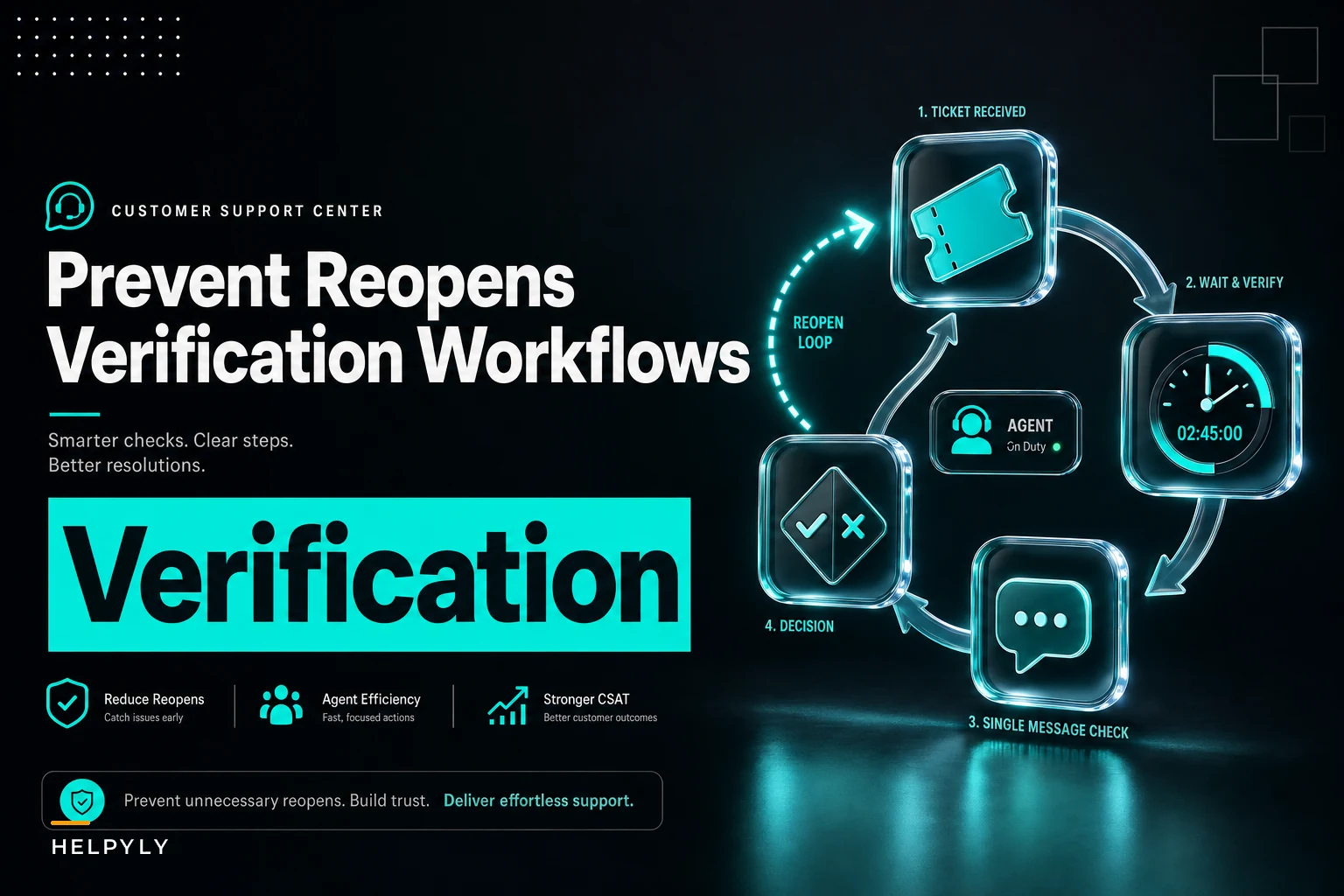
This post is about the specific machinery that sits after the resolve button: post-resolution checklists, automated follow-up windows, sampling QA on closed tickets, and rollback flows for when a "fix" turns out to be wrong. Getting post-resolution verification support right is one of the cheapest ways to lower reopen rates without hiring anyone.
Where reopens actually come from
Pull a sample of 50 reopened tickets and read them end to end. The causes cluster into a handful of patterns — it's rarely random.
-
Premature closure. The agent gave an answer and closed before the customer confirmed it worked. Common with async channels — email, in-app messaging — where the agent assumes silence means success.
-
Partial fixes. The visible symptom went away but the underlying cause didn't. Refund processed, but the duplicate-charge trigger is still live and fires again next billing cycle.
-
Instruction gaps. The customer was told to do something, did it slightly wrong, and gave up rather than replying. The ticket closed on a timer.
-
Bad root-cause identification. The agent solved the wrong problem confidently. This is the sneaky one, because QA scores can look fine — the response was polite, on-brand, within SLA — and still be completely wrong.
These slip through because most QA programs sample open work or review resolutions for tone and process compliance, not for whether the outcome actually held. A resolution can pass every checklist item and still reopen three days later, because none of the items asked "did this actually work for the customer?"
The two verification windows that matter
The immediate window — the first few minutes after closure. This is where you catch process errors: the refund amount was wrong, the shipping label wasn't attached, the macro fired but the account flag never got flipped. These are checklist-catchable.
Never let a customer request slip through the cracks.
Helpyly helps you track, resolve, and optimize every support interaction effortlessly.
- Centralized ticket management
- Automated customer notifications
- Performance analytics dashboard
No credit card required
The delayed window — 24 to 72 hours out, sometimes longer for billing-related issues. This is where you catch fixes that didn't hold. A password reset that worked in the moment but the SSO config re-broke overnight. A "resolved" duplicate charge that reappears next cycle.
Most teams only have one of these, and it's usually a weak version of the first. The delayed window is where real reopen prevention lives, and it's almost always underbuilt — because it requires reaching back out to someone whose ticket you already closed, which feels like creating unnecessary work.
Post-resolution checklists that aren't theater
The problem with resolution checklists is they drift into box-ticking. Agents learn the list, click through it fast, and it stops meaning anything. A checklist only prevents reopens if the items are outcome-tied and category-specific.
-
Was the disputed charge identified by transaction ID, not just amount?
-
Was the refund/adjustment confirmed in the billing system, not just promised?
-
Was the cause addressed (subscription paused, coupon corrected) or only the symptom (one-time refund)?
-
Was the customer told what to expect on their next statement, with a date?
Items 3 and 4 are the reopen-killers. Item 3 catches partial fixes. Item 4 pre-empts the "it happened again" reply that generates a reopen next billing cycle.
Start with the top two failure modes per category and add one checklist item per failure mode — it's a smaller, more actionable checklist that agents actually use.
The pattern worth stealing: for every ticket category, write down the top two reasons that category reopens, then add a checklist item that specifically blocks each one. Don't build a 15-item universal checklist. Build a 4-item checklist per category, targeted at that category's actual failure modes.
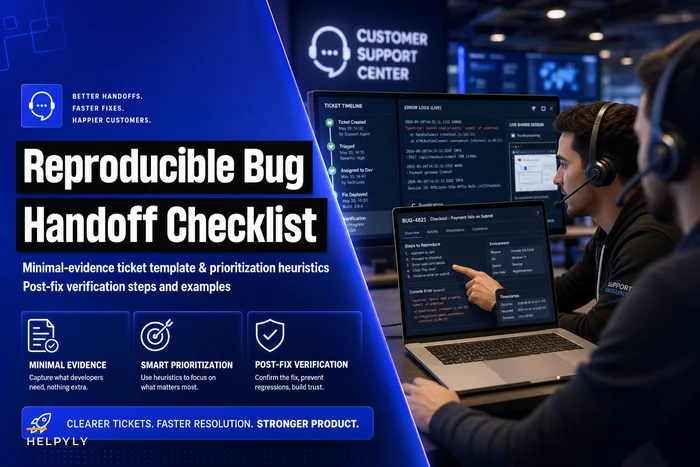
This is where connecting to your root-cause work pays off. If you've already built a solid reproducible bug handoff process, the post-fix verification step from that flow feeds directly into your resolution checklist — you're checking whether the fix that shipped actually resolved the reporting customer's case, not just the abstract bug.
Automated follow-up windows
The delayed window is hard to staff manually, which is exactly why it's a good candidate for automation. You don't need a human to send a "hey, is this still working?" message 48 hours after a billing fix. You need a rule.
-
Trigger ticket closed in a category with a known delayed-failure pattern (billing, SSO/auth, anything with a downstream system that can revert).
-
Window category-specific. Billing might be one cycle out. Auth might be 24 hours. Shipping might be at expected-delivery-plus-two-days.
-
Message a single, low-friction check-in. Not a survey. "Quick check — did the [specific thing] work out? Reply 'nope' and we'll jump back on it, no need to re-explain."
-
Escalation any negative reply — or a reply at all in some cases — reopens the ticket with the original context attached and routes it to the same agent or the same skill queue.
The follow-up has to carry context forward. A reopen that greets the customer with "hi, how can I help you?" undoes the entire point. The whole value is that the customer doesn't have to re-explain, and the agent doesn't have to re-investigate from scratch.
Here's a simple automation flow visualization.
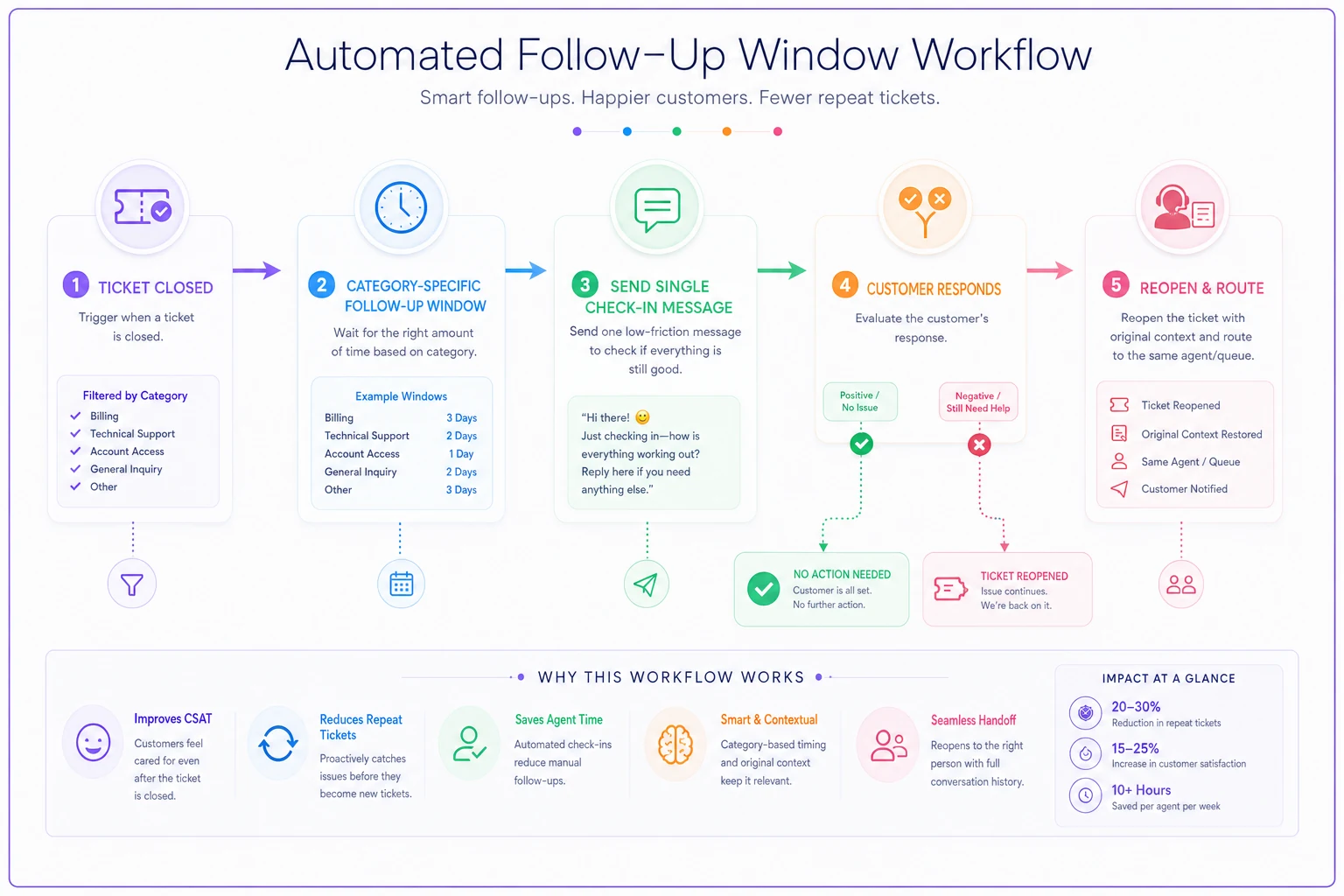
Two things people consistently get wrong here. First, they blast follow-ups on every closed ticket, which trains customers to ignore them and annoys people whose issues were genuinely simple. Scope it to categories that actually reopen. Second, they treat non-response as a success signal — but silence isn't confirmation. For high-stakes categories, structure the message so "no reply" is neutral and only an active "nope" triggers a reopen, so you're not inflating reopen numbers on people who just didn't see the email.
When automated follow-ups are a bad idea
-
Emotionally charged closures. If a ticket ended with an apology for a serious failure, an automated "did that work?" can read as tone-deaf. Route these to a human.
-
Ultra-simple categories. "Where's my invoice?" doesn't need a 48-hour check-in. You'll just create noise.
-
When you can't attach context on reopen. If your reopen flow dumps the customer into a fresh ticket, don't automate follow-ups until you fix that first. You'll make things worse.
If any of the three conditions above apply, prefer manual triage to automation until you fix the underlying issue.
Sampling QA for closed tickets
Traditional QA reviews a slice of an agent's work for quality. Reopen-focused QA is different — you're sampling closed tickets specifically to predict which ones will bounce back, and to feed patterns back into your checklists.
| Dimension | Standard QA | Reopen-focused sampling QA |
|---|---|---|
| What's reviewed | Random sample of agent responses | Closed tickets, weighted toward reopen-prone categories |
| Primary question | Was this handled well? | Will this hold up / did it hold up? |
| Timing | During or shortly after handling | Includes a delayed pass after the follow-up window |
| Scoring focus | Tone, process, accuracy | Root-cause correctness, completeness of fix |
| Output | Agent coaching | Checklist updates + coaching |
The sampling design that surfaces the most useful signal:
-
Pull closed tickets from the past 7 days, oversampling categories with historically high reopen rates.
-
Add every ticket that actually reopened in that period — those are your ground truth.
-
For reopened ones, review the original resolution and tag the failure mode (premature closure, partial fix, wrong root cause, instruction gap).
-
Tally the failure modes by category. That distribution tells you exactly which checklist items to add or sharpen.
The insight most teams miss: reopen QA isn't primarily about catching individual agents. It's a feedback loop for improving the system. If 40% of billing reopens trace back to "symptom fixed, cause not addressed," that's not ten agents making the same mistake — that's a missing checklist item and probably a knowledge gap. Tying this into your knowledge lifecycle governance matters here too, because a recurring failure mode usually points at an article that's wrong, outdated, or just missing entirely.
Rollback and remediation flows
Sometimes a "fix" is worse than the original problem. An agent applies an account change, a macro modifies a setting, a bulk action gets misapplied to the wrong segment. When that happens across many tickets — say, a bad macro that shipped Tuesday morning and hit a couple hundred accounts before anyone noticed — you need a rollback plan, not a scramble.
-
Detection a spike in reopens tied to a specific macro, agent, article, or time window. This is where reopen monitoring earns its keep — a cluster of reopens with the same signature is a rollback trigger.
-
Scope which tickets and accounts were touched by the bad fix? You need to query this fast. If you can't identify the blast radius, you can't remediate cleanly.
-
Reversal the actual undo. Some changes are reversible cleanly; others need a compensating action (you can't un-send an email, but you can send a correction).
-
Communication a templated, honest outreach to affected customers before they notice.
-
Post-mortem what let the bad fix ship, and what checklist item or gate would have stopped it.
Treating a bad batch of resolutions like an incident — with a defined rollback path — is the difference between a controlled correction and a week of firefighting.
Experiment templates: proving your changes actually reduce reopens
Adding checklist items and follow-ups feels productive, but you should verify each change actually moves the number. Otherwise your checklist bloats with items nobody can prove matter, and agents start skipping the whole thing.
-
Baseline measure the current reopen rate for the target category over enough volume to be meaningful — for a mid-size team, that's usually a few hundred tickets, not a dozen.
-
Hypothesis "Adding a 'confirm cause addressed' item to billing resolutions will cut billing reopens."
-
Rollout apply to one team or half the queue, keep the other half as control.
-
Window run long enough to clear the delayed reopen window for that category — testing a billing change over three days is useless if billing reopens surface a cycle later.
-
Read compare reopen rates, and read a handful of tickets from each group to confirm the mechanism, not just the number.
The mistake here is calling a win too early. Reopens are lagging by nature. If your delayed window is 30 days for a category, your experiment can't conclude in a week — you'll see an artificially low reopen rate simply because the bounces haven't come in yet.
A real scenario
A mid-size SaaS support team, roughly a dozen agents, was running a reopen rate hovering around 14% overall — but their billing category was closer to 22%. Their QA looked clean; tone and SLA compliance were fine.
Reading a sample of the billing reopens made the pattern obvious pretty quickly: agents were issuing one-time refunds for duplicate charges without pausing or correcting the underlying subscription setting. The charge came back next cycle, and so did the ticket.
They did two things. Added a single checklist item to billing resolutions — "cause corrected in billing system, not just refunded" — and set up a follow-up message timed to just after the next billing date for that customer, with a one-tap "this happened again" reopen that carried the original thread forward.
Over the following couple of months, billing reopens dropped from around 22% to somewhere in the 9–11% range. The follow-up message also caught a handful of cases that would have escalated, resolving them proactively before the customer got frustrated enough to push harder. Nothing exotic — just closing the outcome gap that "resolved" had been quietly hiding.
Where tooling fits (without overbuilding it)
Most of this can start manually. You can read reopen samples in a spreadsheet, tag failure modes by hand, and surface new checklist items in a team huddle. That's the right way to discover what matters before you try to automate anything.
Where operational software helps is turning the discovered rules into things that run without someone remembering them: firing category-specific follow-up windows on schedule, reopening tickets with context intact, flagging reopen clusters that signal a bad macro, and routing closed-ticket samples into a QA queue automatically. The point isn't to replace judgment — it's to stop verification steps from depending on whether a busy team remembers to run them on a busy day. A checklist that lives only in someone's head gets skipped exactly when volume is highest, which is exactly when reopens climb.
The takeaway
Reopens are the receipts for resolutions that weren't real. You lower them by treating the moment after "resolved" as its own stage of work — with checklists scoped to how each category actually fails, follow-up windows timed to when fixes tend to break, sampling QA aimed at outcomes rather than tone, and a real rollback plan for when a fix goes wrong at scale.
Build the immediate and the delayed window, prove each change with a proper experiment, and feed every reopen back into the checklist that should have caught it. That loop, run consistently, is what strong post-resolution verification support actually looks like in practice.
Reopens are the receipts for resolutions that weren't real. You lower them by treating the moment after "resolved" as its own stage of work — with checklists scoped to how each category actually fails, follow-up windows timed to when fixes tend to break, sampling QA aimed at outcomes rather than tone, and a real rollback plan for when a fix goes wrong at scale.
Build the immediate and the delayed window, prove each change with a proper experiment, and feed every reopen back into the checklist that should have caught it. That loop, run consistently, is what strong post-resolution verification support actually looks like in practice.
Ready to elevate your customer support?
Join 2,000+ support teams using Helpyly to reduce response times, automate workflows, and deliver outstanding customer experiences.