

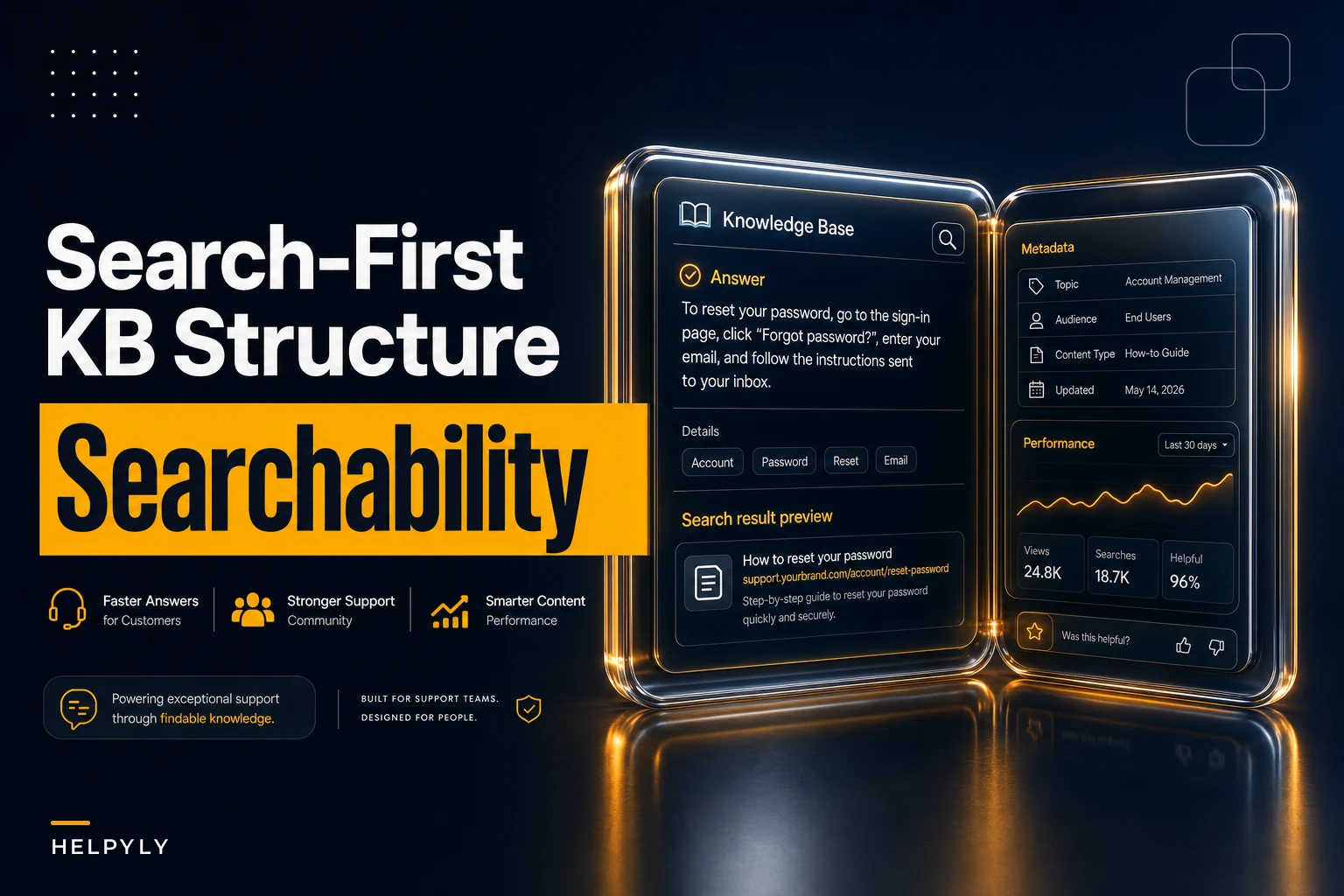

Most support teams write knowledge base articles that are technically accurate and still fail at the one job they exist for: getting found when a customer types a half-formed question into a search box. The content is right. The structure is wrong. And structure is what search engines and internal search indexes actually read first.
Why most KB articles rank badly even when the content is correct
The problem isn't writing quality. KB articles get written for the person who already understands the product — usually the agent or product manager who wrote them — instead of the confused customer three steps into a broken flow. That mismatch shows up as low click-through from search results, low deflection, and a steady stream of tickets for problems the KB "already covers."
This piece is about fixing the knowledge base article structure at the schema and template level so articles surface in the right search, win the snippet, and actually deflect the ticket. Not writing tips. Structural rules tied to metrics you can measure.
The specific failure: the article exists but the search never finds it
A billing team has an article titled "Understanding Your Invoice Cycle." It explains, correctly, that invoices generate on the first of the month based on the anchor date of the subscription. Good article. Complete.
Never let a customer request slip through the cracks.
Helpyly helps you track, resolve, and optimize every support interaction effortlessly.
- Centralized ticket management
- Automated customer notifications
- Performance analytics dashboard
No credit card required
The customer searches: "why was I charged twice this month."
The article never surfaces. Or it surfaces at position six, under three community posts and a competitor's blog. The customer gives up, opens a ticket, and an agent spends four minutes pasting a link to the exact article search should have shown them.
Multiply that across a whole ticket queue. A mid-sized SaaS support team was seeing roughly 40% of their "new" tickets map to existing articles that customers simply never found through search. Content deflection rate on those articles was under 8% — not because the answers were bad, but because the articles were structured for browsing, not searching.
The gap between "we have an article" and "customers find the article" is almost always structural. Title mismatch, missing metadata, buried answers, no snippet target.
Where the structure breaks down
The answer is buried below context. Writers front-load the "how it works" explanation and put the actual answer three paragraphs down. Search engines pull the first useful chunk of text as the snippet. If your first 160 characters are backstory, that's your snippet — and it doesn't answer anything, so nobody clicks.
The title matches internal vocabulary, not the customer's. "Invoice Cycle Configuration" versus "why am I being charged." The team uses the product noun. The customer uses the panic verb. Internal search and Google both weight the title heavily, and if the words don't overlap, the match score tanks.
There's no metadata telling the search system what the article is actually for. No intent tag, no problem-type field, no synonyms. The search index treats a troubleshooting article and a conceptual overview identically, then ranks them by keyword frequency alone — which is a terrible proxy for relevance.
None of these are writing problems. You can hand the same content to a better writer and still lose the search. The fix is a template and a metadata schema that force the structure into shape before the article ever gets published.
The article template that wins snippets
Every search-first KB article should follow the same skeleton. Not because uniformity is pretty — because search indexes and snippet extractors both reward predictable, answer-first structure.
-
Question-shaped title. Phrase it the way a customer would search. "Why was I charged twice?" beats "Duplicate Charge Overview." If your CMS forces a noun-phrase title, put the question in an H1 or the first heading.
-
Direct answer in the first 40–55 words. The very first sentence should answer the question or state the fix. This is your snippet. If someone read only that sentence, they should be materially closer to resolved.
-
The one-line "if this, then" qualifier. Immediately after the answer, a short clarifier: "This usually happens when your billing date changed mid-cycle." This is what makes the snippet feel targeted instead of generic.
-
Steps or detail, scannable. Numbered steps for actions, short paragraphs for explanations. Bold the click targets and field names.
-
Edge cases and related issues, last. Exceptions go at the bottom, not the top, so they don't dilute the primary answer.
-
A single "still stuck?" escalation line. One clear next step if the article didn't resolve it.
The most common mistake is treating step 2 as optional. Teams write a great answer but bury it. The rule worth enforcing: if the answer isn't extractable from the first paragraph as a standalone snippet, the article fails review. No exceptions.
The metadata schema that makes articles findable
The template fixes what humans read. Metadata fixes what the search index reads. Without it, you're relying entirely on keyword matching in the body text — which is fragile.
Here's a practical schema. You don't need all of it on day one, but the first four fields are non-negotiable.
| Field | Purpose | Example |
|---|---|---|
primary_question | The exact customer phrasing this article answers | "Why was I charged twice?" |
intent_type | How the search system should weight it | troubleshooting / how-to / conceptual / policy |
synonyms | Alternate phrasings and product-vs-customer vocabulary | double charge, duplicate billing, charged again |
problem_area | Category for routing and analytics | billing, login, exports |
product_version | Prevents stale answers surfacing | v3+, legacy |
last_verified | Freshness signal for deprecation | 2024-11-02 |
deflection_target | The metric you're holding this article to | ≥ 25% |
linkedtickettags | Ties the article to the tickets it should reduce | tag: billing-dup |
The synonyms field is the one teams skip and then regret. Your customers do not use your product vocabulary. They say "double charge," you say "duplicate transaction event." Every gap between those two is a search miss. Filling this field is low effort and directly moves match rates.
Prioritize filling the
synonymsfield early to quickly boost match rates.
The linkedtickettags field is what closes the loop between the KB and the ticket queue. When you can tie an article to the ticket tag it's supposed to deflect, you can actually measure whether it's working — which is the whole point. This connects naturally into building a proper ticket-to-article lifecycle prioritized by search analytics, where the tickets themselves tell you which articles to write next.
Snippet-optimization rules that actually move CTR
A snippet is the small block of text a search engine shows under your title. It's the ad for your article. If it doesn't look like it answers the question, nobody clicks — and an article nobody clicks can't deflect anything.
-
Lead with the answer, not the setup. First sentence = the resolution. Search engines pull early text; give them something worth pulling.
-
Keep the answer sentence under ~155 characters. Longer and it gets truncated mid-thought, which reads as incomplete and kills clicks.
-
Match the searcher's tense and framing. If they're asking "how do I," start with "To do X..." Mirror the question.
-
Avoid opening with "In this article" or "This guide explains." That's dead snippet space — zero information, and it's usually the first thing that gets extracted.
-
Put one concrete detail in the answer. A field name, a menu location, a number. "Go to Settings → Billing → Payment History" is more clickable than "you can review your charges in the app."
A useful test: read only the title and the first sentence out loud. If that alone would make a frustrated customer think "oh, that's exactly my problem," the snippet is doing its job. If it makes them think "maybe?", rewrite it.
Articles have roughly doubled their organic click-through from search just by moving the answer sentence from paragraph three to paragraph one. Same content. Different position. The snippet extractor doesn't read the whole article — it reads the top.
The search-ability QA checklist
Before an article publishes, run it against this. It takes about two minutes per article and catches the structural failures that no amount of good writing fixes.
-
Title is phrased as, or contains, the customer's actual question
-
First sentence answers the question as a standalone snippet, under ~155 characters
-
primaryquestion,intenttype,synonyms, andproblem_areaare filled -
At least 3 synonyms cover customer vocabulary, not just product vocabulary
-
Answer appears above any background or "how it works" context
-
Steps are numbered and click targets are bolded
-
Edge cases are at the bottom, not mixed into the main answer
-
Article is linked to at least one ticket tag it should deflect
-
last_verifieddate is set and within your freshness window -
A single, clear escalation path exists for unresolved cases
Make this a gate, not a suggestion. Any article that fails two or more of these will underperform in search regardless of how well-written it is.
A real scenario: billing team, before and after
A subscription software company with a support team of about nine agents was drowning in duplicate-charge and billing-date tickets. They had the articles. Customers weren't finding them.
Before the restructure: the top three billing articles had a combined search deflection rate around 9%, and billing-related tickets ran roughly 210–240 a week. Search click-through on those articles was low enough that most customers skipped the help center entirely and just opened a ticket.
They didn't write new content. They restructured what they had — moved answers to the top of each article, rewrote titles into customer questions, and filled in the synonyms and primary_question metadata fields. About a day and a half of work across their dozen highest-traffic billing articles.
Over the next six weeks, search click-through on those articles roughly doubled, and deflection on the restructured set climbed from that ~9% into the mid-20s. Weekly billing tickets dropped by somewhere in the range of 40–55 per week. Not a miracle — just articles finally doing the job they were written to do because customers could actually find them.
The content was never the bottleneck. Structure and metadata were.
When this level of rigor makes sense — and when it doesn't
Worth doing when you have real search volume in your help center, a measurable chunk of tickets that map to existing articles, and enough article volume that inconsistent structure is genuinely costing you deflection. If more than a quarter of your tickets have an existing article that customers didn't find, the ROI here is obvious.
Overkill if you have twelve articles total and forty tickets a week. At that scale, just make sure the answers are at the top and move on. A full metadata schema is more overhead than it saves.
Teams whose KB content is actually wrong or badly out of date should not bother with this yet. Fix accuracy first. Perfectly structured wrong answers deflect tickets into worse tickets. Get your content trustworthy, then make it findable. If your articles are drifting stale, sort out knowledge lifecycle governance — review cadence and deprecation rules — before investing heavily in search structure.
How to roll this out without a giant project
You don't restructure the whole KB at once. Start where the search data points.
Pull your internal search logs and find the top 15–20 queries that either return nothing useful or return articles nobody clicks. Those are your first candidates. Restructure those articles against the template and checklist. Add the metadata. Measure the change in click-through and deflection over the next month.
A simple rollout workflow looks like this.
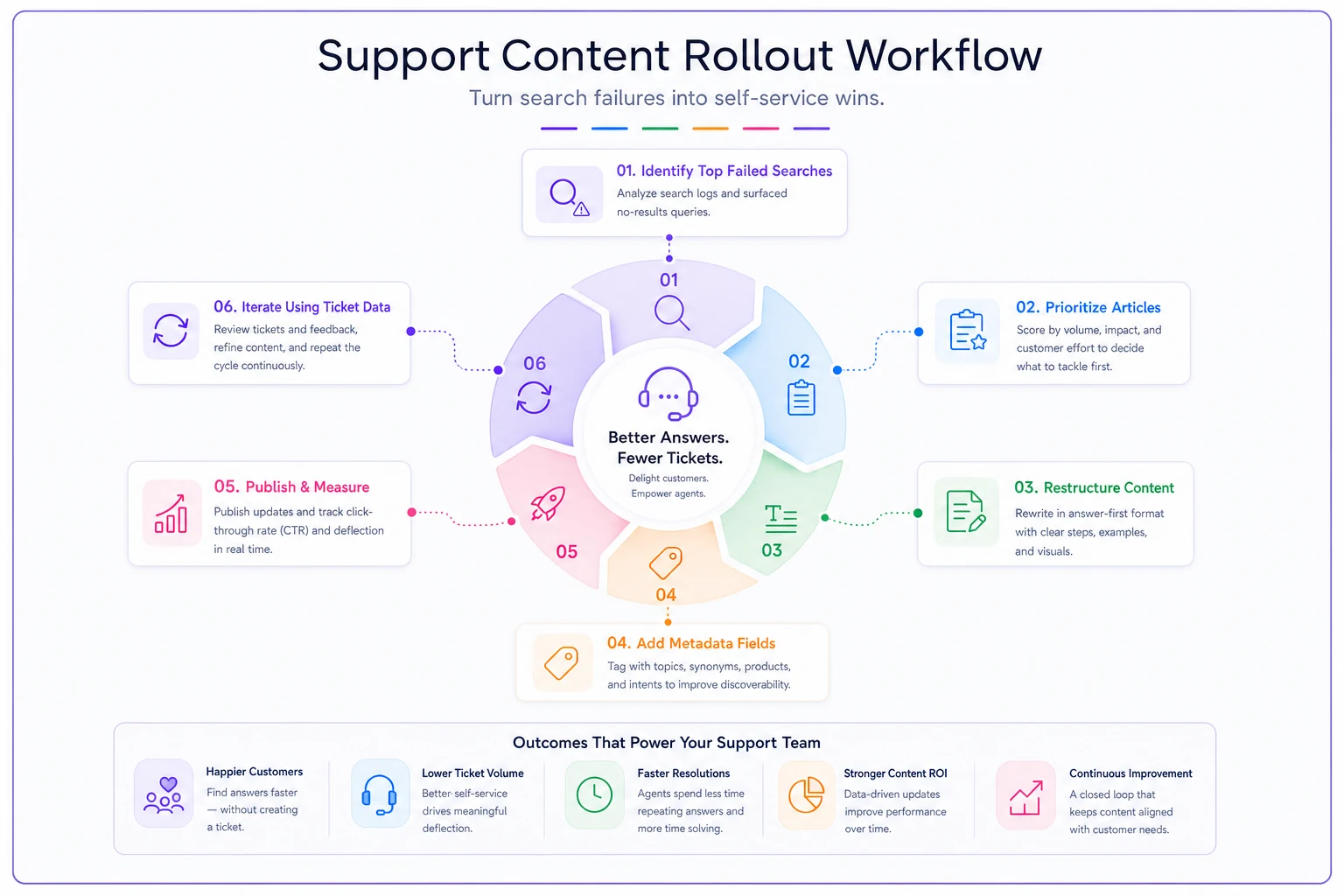
Then let the ticket data drive the next batch. The tickets that keep coming in despite existing articles tell you exactly which articles are failing at search. Fix those next. It's an ongoing rhythm, not a one-time cleanup.
A decent KB platform earns its keep by making the metadata schema enforceable and the analytics visible — surfacing which articles get found, which get clicked, which actually deflect, and which searches return nothing. When the search-ability fields are required at publish and deflection metrics tie back to ticket tags automatically, the discipline sticks instead of decaying the moment someone's in a hurry. But the structure and the rules come first. The tooling just keeps you honest.
The core idea
KB articles fail at search for structural reasons, not writing reasons. The answer is buried, the title uses internal vocabulary, and there's no metadata telling the search system what the article is for.
Fix those three things — consistent template, real metadata schema, snippet-first rule set — and you convert articles that already exist into articles customers actually find. That's the only version of a KB that reduces tickets. Start with your highest-traffic failures, measure click-through and deflection, and expand from there.
KB articles fail at search for structural reasons, not writing reasons. The answer is buried, the title uses internal vocabulary, and there's no metadata telling the search system what the article is for.
Fix those three things — consistent template, real metadata schema, snippet-first rule set — and you convert articles that already exist into articles customers actually find. That's the only version of a KB that reduces tickets. Start with your highest-traffic failures, measure click-through and deflection, and expand from there.
Ready to elevate your customer support?
Join 2,000+ support teams using Helpyly to reduce response times, automate workflows, and deliver outstanding customer experiences.